Google Antigravity CLI Tutorial: Complete Agent Guide
Z
ZharfAI Team
AI Development
•August 6, 2026•11 min read
Google Antigravity CLI is the terminal surface of Google's Antigravity agent platform. It can inspect a repository, reason through a multi-step task, edit several files, run tools, present plans and diffs as reviewable artifacts, launch subagents, and preserve conversation history. The CLI shares its core agent harness and important configuration with the visual Antigravity 2.0 environment, but is optimized for local shells, SSH, tmux, automation, and low overhead.
This tutorial was verified on August 6, 2026 against the official Antigravity CLI documentation, launch article, and live changelog. At review time the docs identify CLI v1.1.10 and Antigravity 2.0 v2.5.0. Rollouts can be gradual, so check agy --version and the changelog before relying on a new flag.
Official Google Antigravity CLI launch artwork
Official artwork from Google's Antigravity CLI launch article.
Understand CLI, Antigravity 2.0, IDE, and SDK
Antigravity is a product family, not one interchangeable app:
Antigravity CLI is a keyboard-driven terminal UI for fast local, SSH, and headless workflows.
Antigravity 2.0 is the visual desktop environment for project management, conversations, artifacts, files, and broader orchestration.
Antigravity IDE integrates the agent experience into supported editor workflows.
Antigravity SDK exposes the platform to applications and custom automation.
The official comparison says the CLI and Antigravity 2.0 use the same agent core, synchronize key preferences and security configuration, and support moving a conversation into the visual environment. That does not make every surface identical: keyboard navigation, terminal rendering, headless output, and desktop panels are surface-specific.
Choose the CLI when the repository and shell are the center of the job. Move to Antigravity 2.0 when a task benefits from a visual workspace or richer artifact navigation. Use the SDK only when a repeatable application integration is worth maintaining.
The default executable is ~/.local/bin/agy on macOS/Linux and under the user's local application-data directory on Windows. Inspect remote installation scripts before running them on a managed or sensitive machine. Then confirm what is installed:
agy --version
agy --help
Run agy and complete browser-based Google sign-in. The installation and authentication guide covers OS-keyring storage, SSH sign-in with a URL and authorization code, enterprise options, proxy configuration, and /logout. Current v1.1.10 also adds Gemini Enterprise, Workforce Identity Federation, and Application Default Credentials paths. Choose the identity and Cloud project that are actually authorized for the repository; do not paste tokens into prompts or commit them to configuration.
Trust the exact workspace, not your whole machine
Start from the project you intend to expose:
cd /path/to/project
git status --short --branch
agy
First launch asks for a color scheme, rendering mode, and Workspace Trust. Trust is consequential: after approval, the agent can index project files and request tools. Do not launch from your home directory or a broad monorepo parent when the task needs one package. Use a clean branch or disposable worktree when edits are expected.
Start with a read-only request:
Explain the authentication flow from request entry to persistence.
Name the relevant files and trust boundaries. Do not edit or run commands yet.
Then give a bounded implementation contract:
Reproduce the duplicate-submit bug with a focused test. Propose the smallest fix,
show the plan for review, implement only approved files, run the focused test and
type check, and summarize the final diff. Do not commit, push, or deploy.
This makes the repository state, evidence, and approval boundary explicit instead of asking the model to infer them.
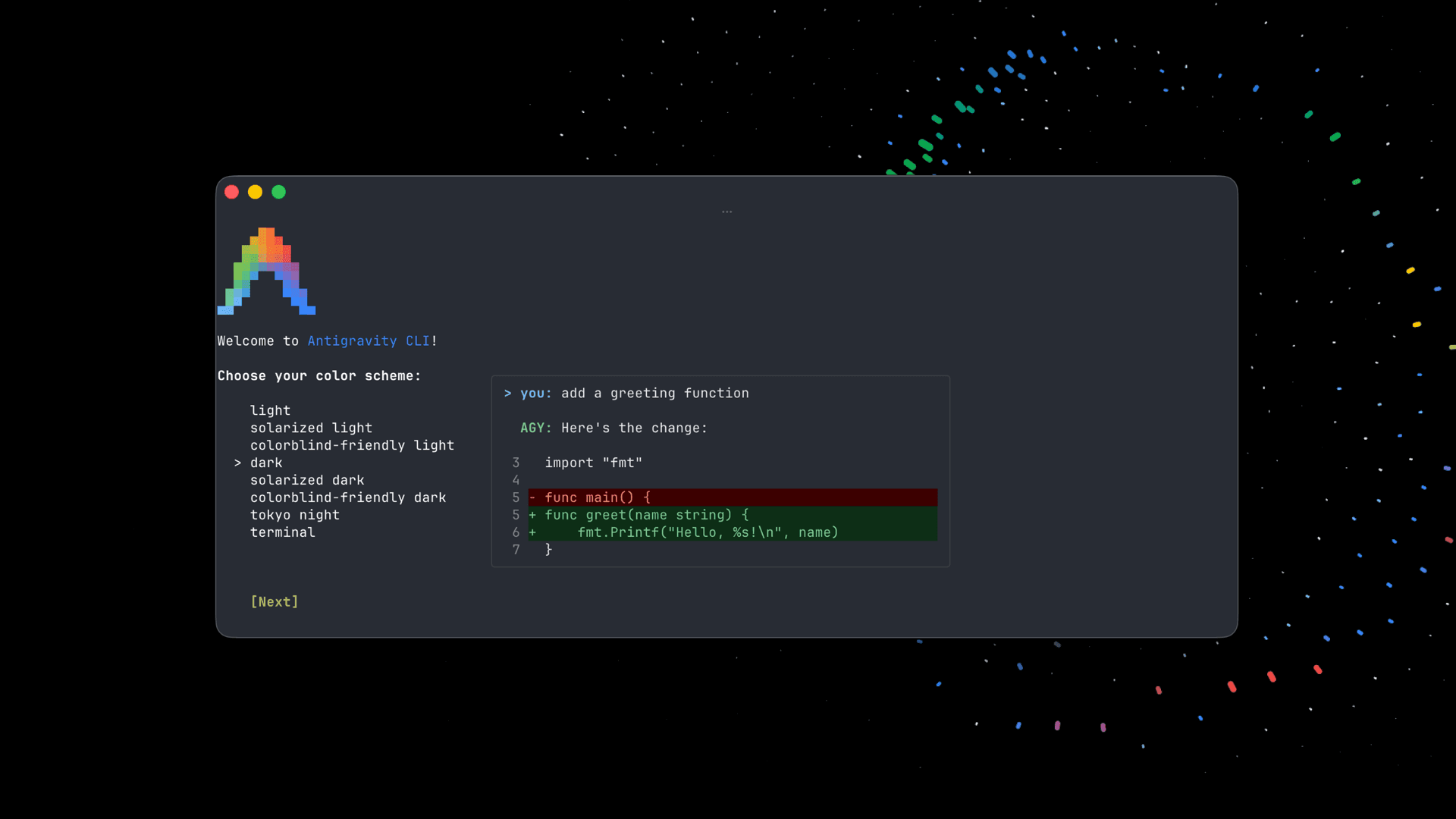
Official Antigravity CLI onboarding and diff interface
Official product screenshot showing first-run customization beside a reviewable code diff.
Work through plans, artifacts, diffs, and tests
Antigravity represents important agent output as artifacts. A plan, file edit, diff, test run, or generated document should be inspected as evidence—not accepted because the chat says the task succeeded. The artifact guide explains the viewer and review flow; /diff provides a focused workspace change review.
Use this loop:
ask for repository inspection and a plan;
verify that the plan names the correct files and acceptance tests;
approve only the next necessary tool or edit;
open the complete diff, not only the agent's summary;
run focused tests, then the broader relevant gate;
reproduce the original behavior again;
check git status for unexpected or generated files.
Artifact review policy is configurable. Keeping the default review prompt is sensible for unfamiliar repositories. “Agent decides” is a convenience setting, not an independent safety control, and “always proceed” is inappropriate for repositories containing credentials, production access, or irreplaceable work.
Use models and reasoning effort deliberately
Use /model to inspect models currently available to your account and /effort to choose a supported reasoning level. The CLI also accepts stable model slugs and --model / --effort launch flags in current releases:
agy --model="<model-slug>" --effort=high
Do not copy a model name from an old screenshot. Entitlements, regions, quota, and available effort levels can change. CLI v1.1.10 fixed cases where the launch flags were silently ignored, so update before treating a pinned model as reproducible.
Use lower effort for repository navigation, formatting, and deterministic maintenance. Use higher effort for architecture, subtle debugging, migrations, or large reviews, then compare accepted task quality, latency, and credit use. The best setting is the least expensive one that reliably passes your acceptance suite.
Delegate with subagents without creating edit conflicts
The /agents panel exposes built-in and custom agents, and the runtime can define and launch specialized subagents. Current versions visualize child work, support recursive subagents, and let a custom agent select a model tier. The subagent documentation covers creation and control.
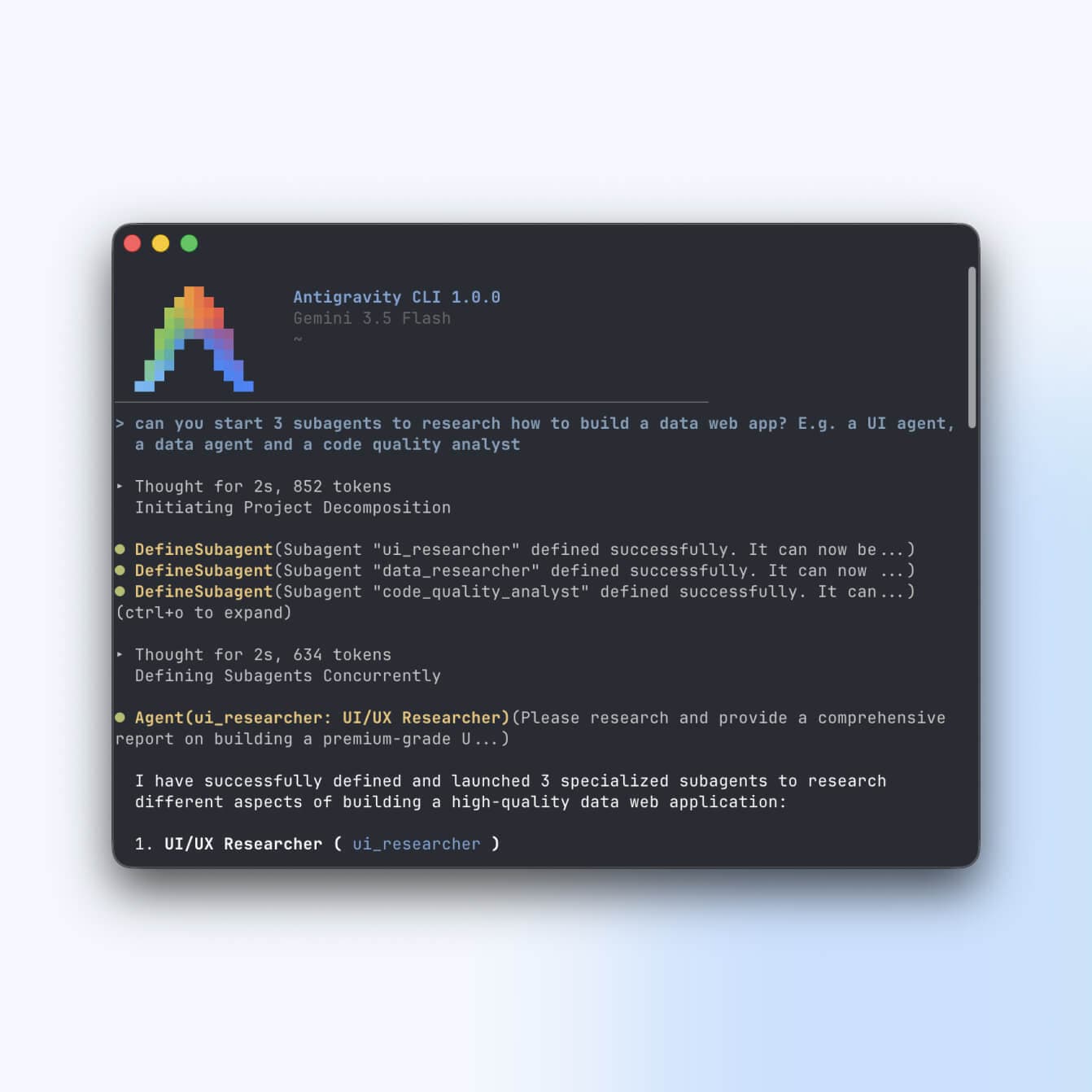
Official Antigravity CLI screenshot of three specialized subagents
Official Google product screenshot showing UI, data, and code-quality subagents launched for one task.
Good delegation separates independent evidence:
one agent maps the affected code path;
one reads tests and reproduces the defect;
one performs a read-only security or regression review;
the coordinator integrates one result and runs the final verification.
Avoid assigning two agents to edit the same files in one worktree. Use separate worktrees for parallel implementation and define ownership, expected output, and merge order. A subagent inherits meaningful authority from the parent; inspect its model, MCP inheritance, and command-execution policy before running it unattended.
Automate with print mode and structured output
For scripts and CI, use print mode rather than trying to scrape terminal rendering:
agy -p "Review this diff for correctness and return concise findings"
Current CLI releases support text, json, and stream-json output plus a custom JSON schema. A schematic pattern is:
The stream emits typed progress and final-result events, with tool and subagent metadata. This is useful for CI, evaluations, and dashboards, but structured output does not make an agent deterministic. Validate the schema, exit code, changed files, and test evidence. Headless runs cannot ask a human for interactive approval; current policy enforcement soft-denies tools that still require confirmation. Configure explicit non-interactive permissions instead of weakening the whole profile.
Add rules, skills, plugins, hooks, and MCP in layers
Antigravity supports repository rules, Agent Skills, plugins, hooks, and MCP servers. They solve different problems:
rules carry stable repository conventions and boundaries;
skills package reusable procedures and supporting resources;
plugins bundle compatible customizations;
hooks run deterministic checks at lifecycle events;
MCP connects external tools or data through a standard protocol.
The plugins and skills guide documents discovery and management. Keep rules short, commands real, and skills narrowly triggered. Use hooks for deterministic format, test, or policy checks rather than hoping a prompt remembers them. Add one MCP server at a time, allow only required tools, inspect OAuth scopes and returned content, and set timeouts. External pages and tickets can contain prompt injection even when the MCP provider is trusted.
Recent releases synchronize shared hooks under ~/.gemini/config/, support Markdown custom-agent files, expand skills in headless mode, load MCP servers without blocking interactive startup, and fix disabled plugins that previously left hooks active. Those are good reasons to keep the CLI updated and verify that “disabled” really means no code or hook is running.
Configure permissions and the sandbox
Open /config or /settings and begin with conservative values. The settings reference documents four tool-permission modes:
request-review asks before write, shell, or web tools and is the default;
proceed-in-sandbox auto-runs sandboxed terminal commands but reviews others;
strict asks for every non-read tool;
always-proceed removes prompts and carries the highest risk.
Also keep artifact review enabled, turn on the terminal sandbox, and leave non-workspace access off unless a concrete task requires it. Antigravity 1.1.10 changed .git access inside the sandbox to read-only so the agent can inspect repository metadata without rewriting it there. A sandbox reduces host access; it does not make network content trustworthy or prevent misuse of credentials deliberately mounted inside it.
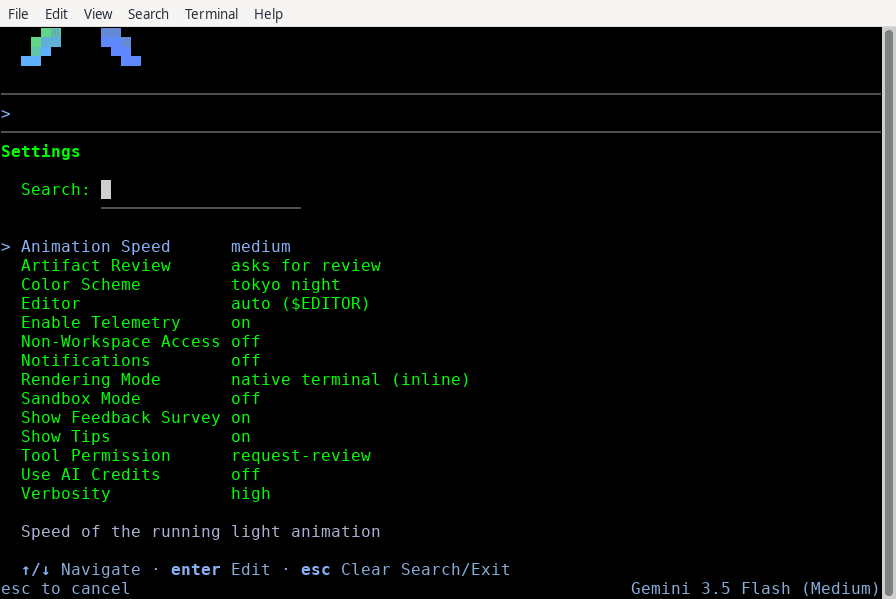
Official Antigravity CLI settings panel
Official docs screenshot. The visible values are an example; choose policies for your risk level.
Persistent CLI preferences live at:
~/.gemini/antigravity-cli/settings.json
Custom keybindings live beside them in keybindings.json. Sparse persistence writes only values that differ from defaults. Prefer the interactive editor so schema changes are validated, and keep secrets out of both files.
Move between CLI and Antigravity 2.0
CLI and Antigravity 2.0 are designed to work together. Use the documented conversation export/import path when a terminal investigation grows into a visual project-management task. Shared settings mean a permission change can affect both surfaces, so review synchronized policy after migration.
Users moving from Gemini CLI can perform a one-time import of compatible extensions, skills, and settings through the migration workflow. Treat imported customizations as code: remove obsolete servers, rotate stale credentials, inspect hooks, and test permission behavior in a disposable project before trusting the migrated environment.
A production-quality Antigravity workflow
Scope: open the smallest trusted workspace and record branch/status.
Inspect: ask for architecture and evidence without edits.
Plan: agree on files, tests, prohibited actions, and approval points.
Isolate: create a branch or worktree for mutation.
Implement: approve narrow actions and steer immediately when scope drifts.
Verify: run focused tests, the relevant broader gate, and runtime/browser QA.
Review: inspect artifacts, the complete diff, and unexpected files.
Cross-check: use an independent read-only reviewer or subagent.
Handoff: report commands, results, residual risk, and external actions not taken.
For repeated model comparisons, use the same frozen repository task and acceptance checks. Record version, model slug, effort, permissions, prompt, wall time, credits, accepted result, and human corrections. Vendor benchmark charts are useful discovery signals, not substitutes for your workload.
Troubleshooting
agy is not found: open a new shell, confirm ~/.local/bin is on PATH, and use the install guide's manual path checks.
Browser sign-in fails over SSH: use the displayed URL and authorization code, verify keyring/D-Bus limitations, or follow the documented enterprise/ADC path. Never paste the code into an issue or shared log.
The model or effort flag appears ignored: upgrade to v1.1.10 or later, run /model and /effort, and verify the active status line.
A command is repeatedly blocked: inspect /permissions, project and global rule precedence, non-workspace access, network policy, and sandbox logs. Do not switch to always-proceed just to silence one unclear prompt.
MCP startup hangs: update the CLI, disable the suspect server, verify OAuth and transport, add a timeout, and re-enable servers one at a time.
Two sessions modify one conversation: fork the conversation or close one instance. Current versions warn about this because interleaved trajectories and file edits are hard to reason about.
Frequently asked questions
Is Google Antigravity CLI the same as Gemini CLI?
No. Antigravity CLI has its own shared Antigravity harness, artifacts, settings, subagents, and integration with Antigravity 2.0. It offers a one-time Gemini CLI migration path for compatible settings and extensions.
Can I use Antigravity from CI?
Yes, through print mode and structured output. Use an isolated runner, explicit permissions, read-only credentials where possible, schema validation, file-diff checks, and human review before merge or deployment.
Should I use Antigravity, Codex, Claude Code, or OpenCode?
Choose Antigravity for Google's shared CLI/visual agent platform; Codex for OpenAI's local, cloud, app, and API ecosystem; Claude Code for Anthropic's terminal, web, desktop, Agent SDK, and agent-team stack; or OpenCode for an open-source, provider-flexible harness. Evaluate each against the same repository tasks.
Does workspace trust make every command safe?
No. Trust enables project indexing and tool use. Permissions, artifact review, sandboxing, non-workspace restrictions, credential scope, and human review remain separate controls.
Master GitHub Copilot CLI from installation and permissions to plan and autopilot modes, fleet agents, skills, MCP, plugins, IDE and remote work, review, hooks, and automation.
Master OpenCode from installation to providers, AGENTS.md, plan and build agents, permissions, skills, MCP, plugins, IDE, desktop, server, and GitHub workflows.
Install and master Qwen Code: Qwen3.8, providers, QWEN.md, plan and auto modes, subagents, agent teams, worktrees, skills, memory, MCP, hooks, IDEs, daemon, channels, and CI.